
Too many tools. Too many files. Too many emails. Too much information scattered across different places.
In many SMEs, organisation still works by accumulation: one Excel spreadsheet to track projects, a Drive folder for documents, Slack or Teams messages for decisions, emails for clients, and sometimes a half-used CRM. Each tool has its purpose, but together they create an invisible kind of friction: people search, copy, follow up and lose track.
This is not a minor issue. According to the 2024 France Num Barometer1, 79% of VSE/SME leaders believe digital technology brings real benefits to their business. The same barometer shows that 56% of VSEs/SMEs use an online document-sharing platform and 35% use a professional collaborative solution. In other words, SMEs are already moving toward more collaboration, but not all of them have found a simple system for structuring their information.
This is exactly where Notion can become useful.
💡 To get straight to the point, here are the key takeaways.
- Notion helps SMEs centralise information, documents and projects in a single workspace.
- Its main value is not to replace every existing tool, but to create a clear shared reference point for the whole team.
- It can be used to build an internal wiki, track projects, structure a simple CRM, improve HR onboarding or create a management dashboard.
- Notion is especially useful when information is scattered across emails, files, messages and collaborative tools.
- Its flexibility is a strength, but it needs a clear framework to avoid recreating disorder inside the tool.
- To get started, an SME should choose one concrete use case, test it with a small team, then expand gradually.
What exactly is Notion?
Notion is an all-in-one workspace platform. It lets teams create pages, databases, dashboards, internal wikis, project spaces, checklists, editorial calendars and even simple sales trackers.
In practical terms, Notion can bring together in one place what is often spread across several tools: internal documentation, meeting notes, project tracking, procedures, content, a simple CRM, HR onboarding or team management.
Its main value is not necessarily to replace all your software. It is to create a shared point of reference for the team. A place where everyone knows important information is stored, updated and easy to find.
In 2024, Notion2 announced it had passed 100 million users and stated that 62% of Fortune 100 companies used the platform. This does not mean Notion is automatically right for every SME, but it does show that the tool has become a major player in collaborative organisation.
The real problem Notion solves for an SME
In an SME, the issue is not always a lack of tools. More often, it is the absence of a shared structure.
A procedure exists, but nobody knows where it is. A project is moving forward, but decisions are scattered across multiple conversations. A new employee joins, but their onboarding mostly depends on their manager’s availability. A business owner wants to monitor activity, but has to open several files to understand what is going on.
Notion helps reduce this fragmentation. The goal is not to create a perfect workspace, but a useful one: clear enough to be adopted, structured enough to last, and flexible enough to evolve with the company.
For an SME, Notion’s real promise is simple: less time wasted looking for information, more clarity around projects, and better continuity as the team grows.
5 practical uses of Notion for an SME
1. Creating a company wiki
A company wiki is often the most relevant first use case. It centralises the information the team needs regularly: internal procedures, HR rules, business guides, sales documentation, marketing resources, tool access, document templates and more.
The value is immediate: instead of answering the same questions again and again, the company builds a clear, accessible and up-to-date knowledge base.
For example, a “Welcome aboard” page can include the onboarding checklist for a new employee, useful links, key contacts, tools to set up and first assignments. The manager saves time, and the new team member starts with a clearer, more reassuring framework.
2. Tracking projects without multiplying files
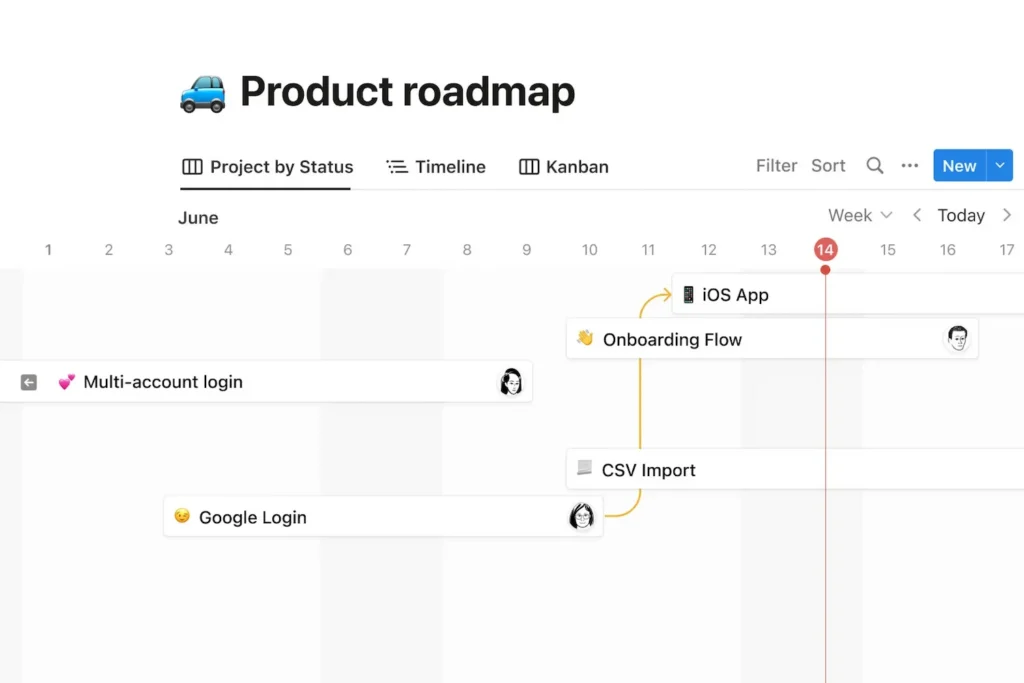
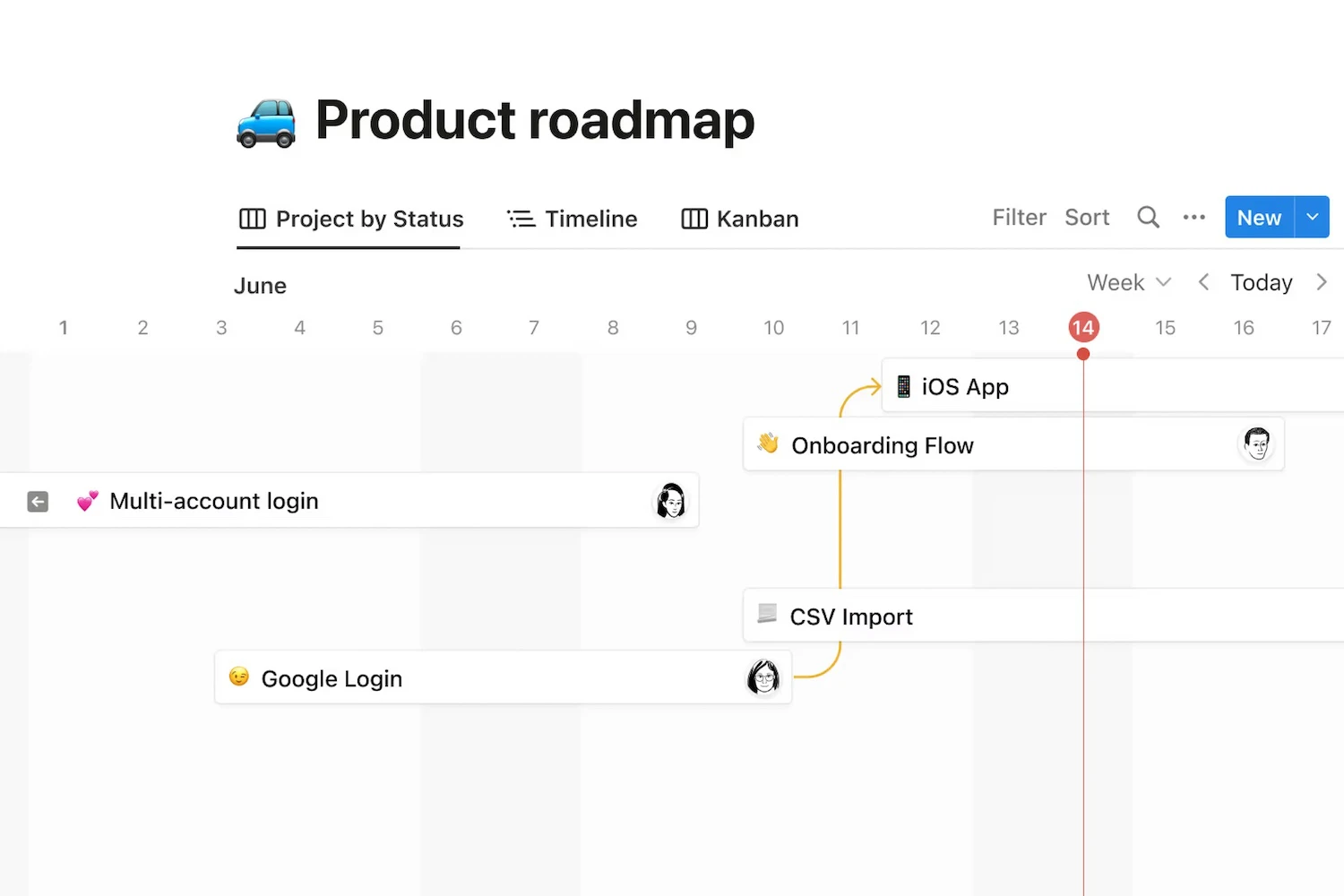
Notion makes it possible to track a project in several formats: Kanban board, list, calendar, timeline or filtered database. Each task can be linked to a person, a deadline, a status, a document or a meeting note.
For an SME, this helps avoid separating task tracking on one side and project information on the other. Everything can live in the same place: the brief, decisions, deliverables, responsibilities and progress status.
For example, a marketing team can manage an editorial calendar in Notion, with articles to produce, owners, publication dates, SEO keywords, validation stages and links to final content.
3. Structuring a simple CRM
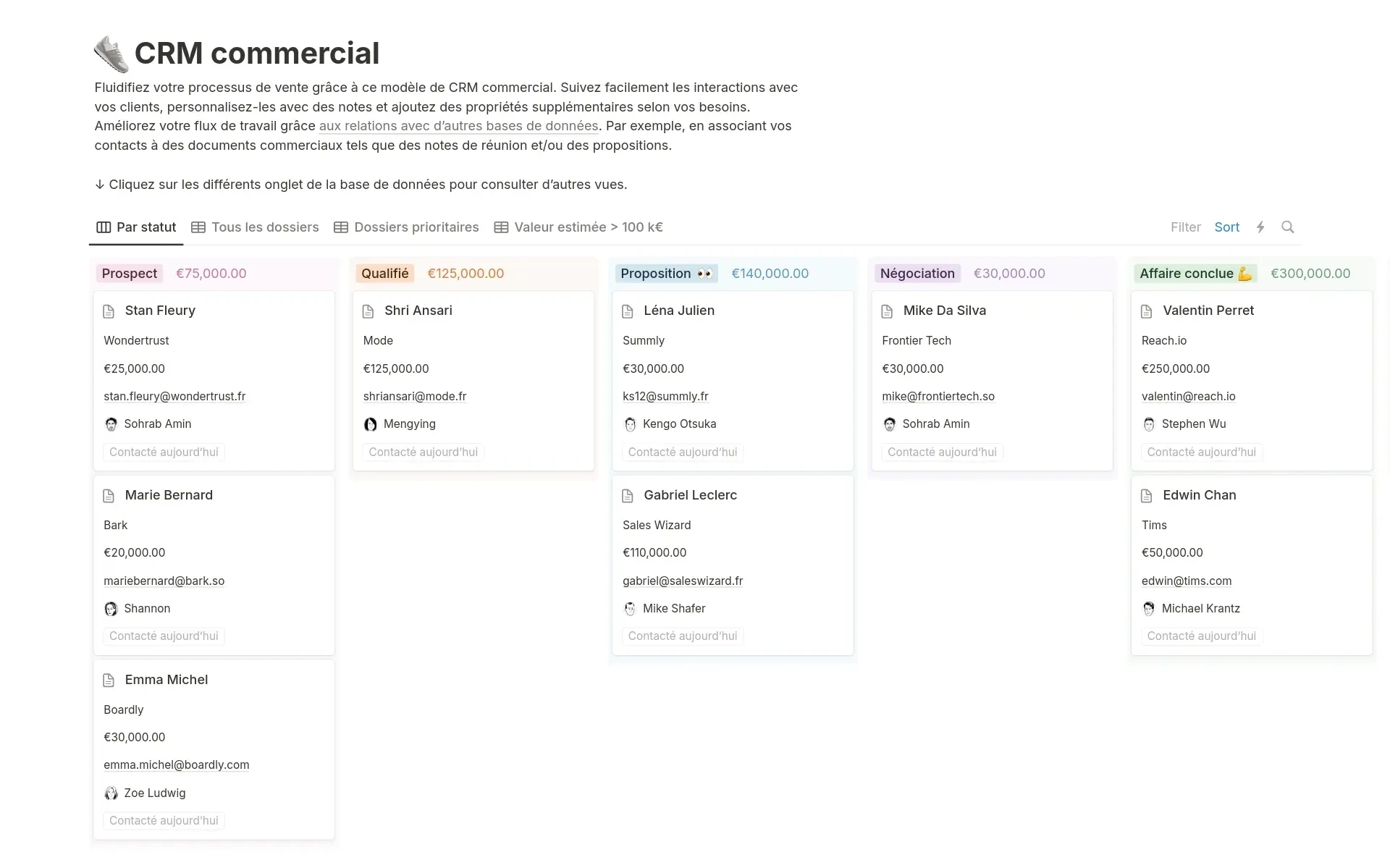
Notion can also be used as a lightweight CRM for SMEs that do not yet need an advanced sales tool. You can create a prospect database, a sales pipeline, client records, contact history and links to quotes or related projects.
This point should be approached with some nuance. Notion works well for simple, readable and customised sales tracking. However, if your team needs advanced automation, scoring, complex follow-ups, detailed sales reporting or strong integration with invoicing, a dedicated CRM will usually be more appropriate.
Notion is therefore useful as a structuring step. It often helps clarify a sales process before moving, if necessary, to a more specialised tool.
4. Improving HR onboarding
The arrival of a new employee is a sensitive moment. In a small organisation, onboarding often depends on a few key people. When information is not documented, the experience can vary greatly from one person to another.
With Notion, you can create a clear onboarding journey: documents to read, training to complete, people to meet, tools to configure and follow-up meetings to schedule. This gives the process a more professional structure without making the organisation heavier.
For example, an “Onboarding” database can generate a checklist for each new employee, with steps adapted to their role, team and start date.
5. Building a management dashboard
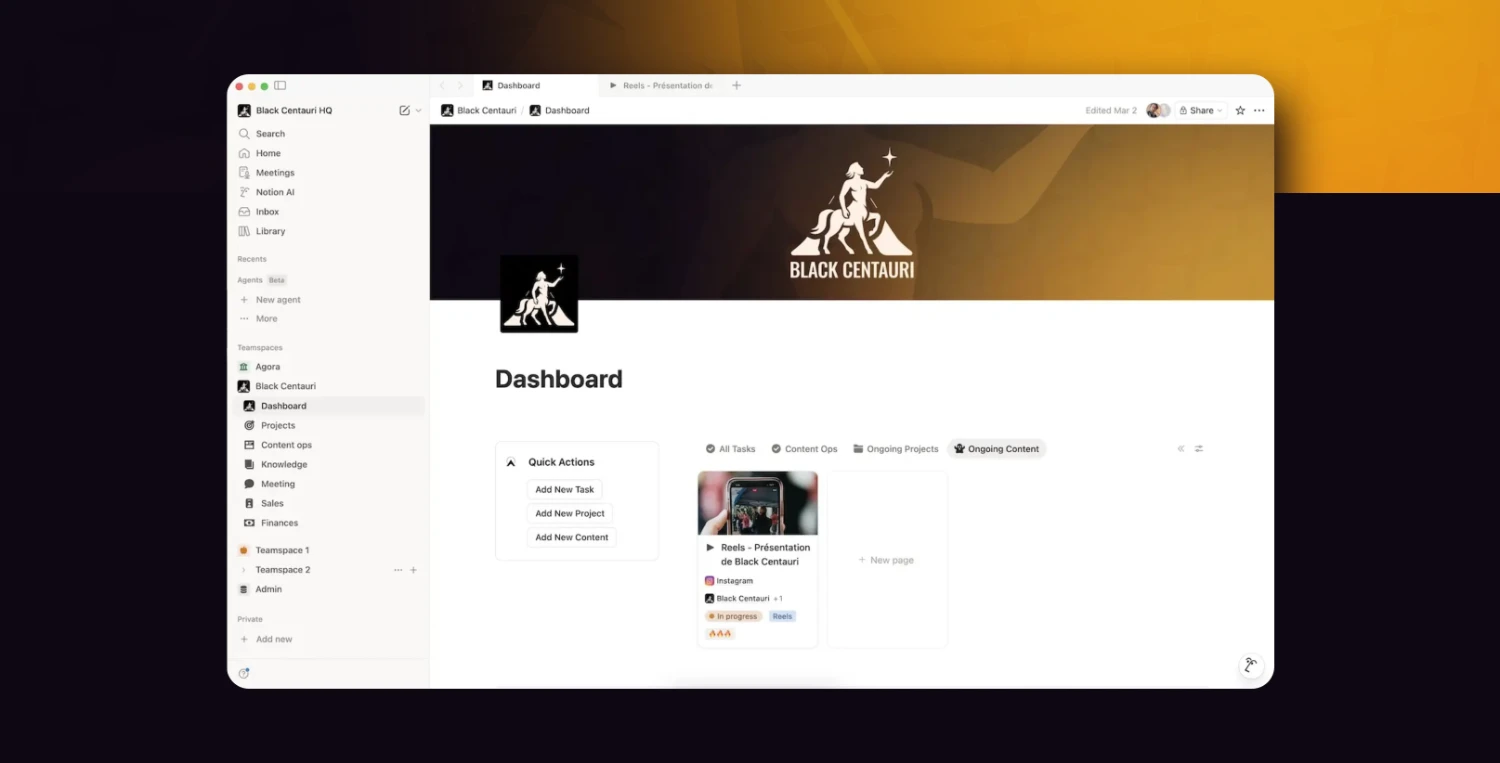
An SME leader needs visibility, but not necessarily complex reports. Notion can serve as a simple dashboard to bring together key information: current projects, weekly priorities, sales follow-up, HR actions, content to publish and important indicators.
The point is not to turn Notion into an advanced business intelligence tool. The point is to create a reliable overview that can be checked quickly and helps support everyday decisions.

✨ Notion is not just a tool. It’s a lever to structure your organization.
To go further, we help you turn Notion into a real work system, tailored to your business challenges.
The limits to know before getting started
Notion is flexible, but that flexibility can become a trap if the workspace is not properly framed. An SME that creates pages as it goes, without a shared logic, may end up reproducing inside Notion the very disorder it wanted to solve.
The first limit is governance. Who creates pages? Who maintains information? Who decides on the structure? Who archives what is no longer useful? Without clear answers, the workspace can quickly become confusing.
The second limit concerns advanced use cases. Notion can handle many things, but it is not always the best tool for everything. For complex project management, a highly automated CRM, accounting or regulated HR management, specialised software will often be more suitable.
The third limit concerns data. Notion offers security and data residency features, particularly for Enterprise customers. Its documentation states that certain categories of customer data can be stored in the selected region when data residency is enabled, but also specifies that some information may still be stored or processed outside that region. For an SME handling sensitive HR, financial or customer data, it is therefore important to define a clear framework and check the conditions that apply to its plan.
How much does Notion cost?
Notion offers several subscription tiers: Free, Plus, Business and Enterprise. On the official pricing page consulted, the Plus plan is listed at $10 per member per month, and the Business plan at $20 per member per month. The Enterprise plan is available on request. Exact pricing may vary depending on currency, annual or monthly billing and the commercial terms in place at the time of subscription.
For an SME, the right question is not only “How much does Notion cost?” but rather: “Which tools can it simplify, replace or better connect?”
If Notion helps remove redundant subscriptions, reduce the time spent searching for information or make onboarding smoother, its cost can quickly be justified. On the other hand, if the company adds it as yet another tool without an adoption method, it may simply become an extra layer.
Where should you start?
The best approach is not to migrate everything at once. Notion works best when it first solves a concrete problem.
Start by identifying the three most frequent friction points in your organisation. For example: “we cannot find our procedures”, “our projects lack visibility”, “onboarding takes too much time”, or “sales follow-up is scattered”.
Then choose one priority use case. Build a simple workspace, test it with a small team, adjust the structure, then expand gradually.
A good first step might be an internal wiki, a project tracking board or a sales knowledge base. These use cases are easy to understand, quickly useful and visible to several team members.
It is also helpful to appoint a Notion owner. Their role is not to control everything, but to maintain consistency across the workspace: page naming, database structure, access rights, archiving, templates and best practices.
In summary
Notion is not just a note-taking tool. For an SME, it is above all a structuring tool.
It helps centralise information, clarify projects, document working methods and make the team more autonomous. Its strength lies in its flexibility: each company can build a workspace that reflects the way it operates.
But that flexibility needs a minimum level of structure. Notion becomes truly useful when it serves a clear need, with a simple framework and shared rules. It does not replace organisational strategy. It makes it more visible, more accessible and easier to bring to life.
Want to know whether Notion is right for your SME? Start by mapping the three places where your team loses the most time searching for, sharing or updating information. That is often where Notion can create value quickly.
📌 Let’s see what’s truly relevant for you
We work with you to identify priority use cases, structure your workspace and support your teams so it becomes a tool that is truly useful on a daily basis.