

At first glance, Notion looks like an application where you can write notes, create lists and organise a few documents.
This is often how teams begin using it. One page for a meeting, another for a procedure, and a few ideas added along the way. Then the workspace grows, sometimes without a clear shared structure.
Yet Notion’s value does not simply come from its ability to store information. It becomes more useful when that information is structured, connected to projects and integrated into the team’s daily work.
A note keeps information. A productivity tool makes that information easier to find, update, assign and turn into action.
This shift from isolated notes to a shared work system is what truly changes the way a team uses Notion.
💡 To get straight to the point, here are the key takeaways.
- Notion is not only a note-taking tool. It can help teams structure knowledge and working processes.
- Pages are useful for documentation, while databases make information easier to track.
- Projects, tasks, meetings and decisions can be connected within the same workspace.
- The same information can be displayed differently depending on each team member’s needs.
- Artificial intelligence becomes more useful when the underlying content is already clear and well organised.
- Notion does not automatically replace every specialised tool.
- The best starting point is usually a simple, recurring process that genuinely helps the team.
- Without clear ownership and maintenance rules, the workspace can recreate the disorder it was meant to solve.
How Notion moves from a note-taking app to a productivity tool
A note-taking application may be enough to store individual information or share a few documents.
In a company, the need becomes broader as soon as that information has to be connected to people, projects and decisions.
A procedure needs an owner. A meeting should lead to actions. A task needs to remain connected to its context. A decision should still be easy to find several months later.
This is where Notion begins to play a different role.
The platform brings together pages, documents, databases and collaborative spaces in one environment. The goal is no longer simply to write or store information, but to give it a clear place within the company’s way of working.
To understand the building blocks behind this approach, you can read our guide to pages, blocks and databases in Notion.
Level 1: turning isolated notes into shared knowledge
The first level of use is documentation. A team can centralise in Notion:
- internal procedures;
- meeting notes;
- sales guides;
- operating rules;
- marketing resources;
- onboarding documents;
- templates and checklists.
At this stage, Notion already serves an important purpose: creating a shared point of reference.
Take the example of a sales approval procedure. In a standard document, it can quickly become outdated or difficult to locate. In Notion, it can be included in the sales workspace, connected to relevant templates and assigned to someone responsible for keeping it up to date.
The information no longer depends solely on one employee’s memory or on the folder structure of a shared drive. It becomes accessible to the team, available in context and easier to maintain.
This is what makes it possible to build a living company wiki rather than a collection of static documents.
Level 2: moving from documents to structured data
The real shift in logic appears with databases.
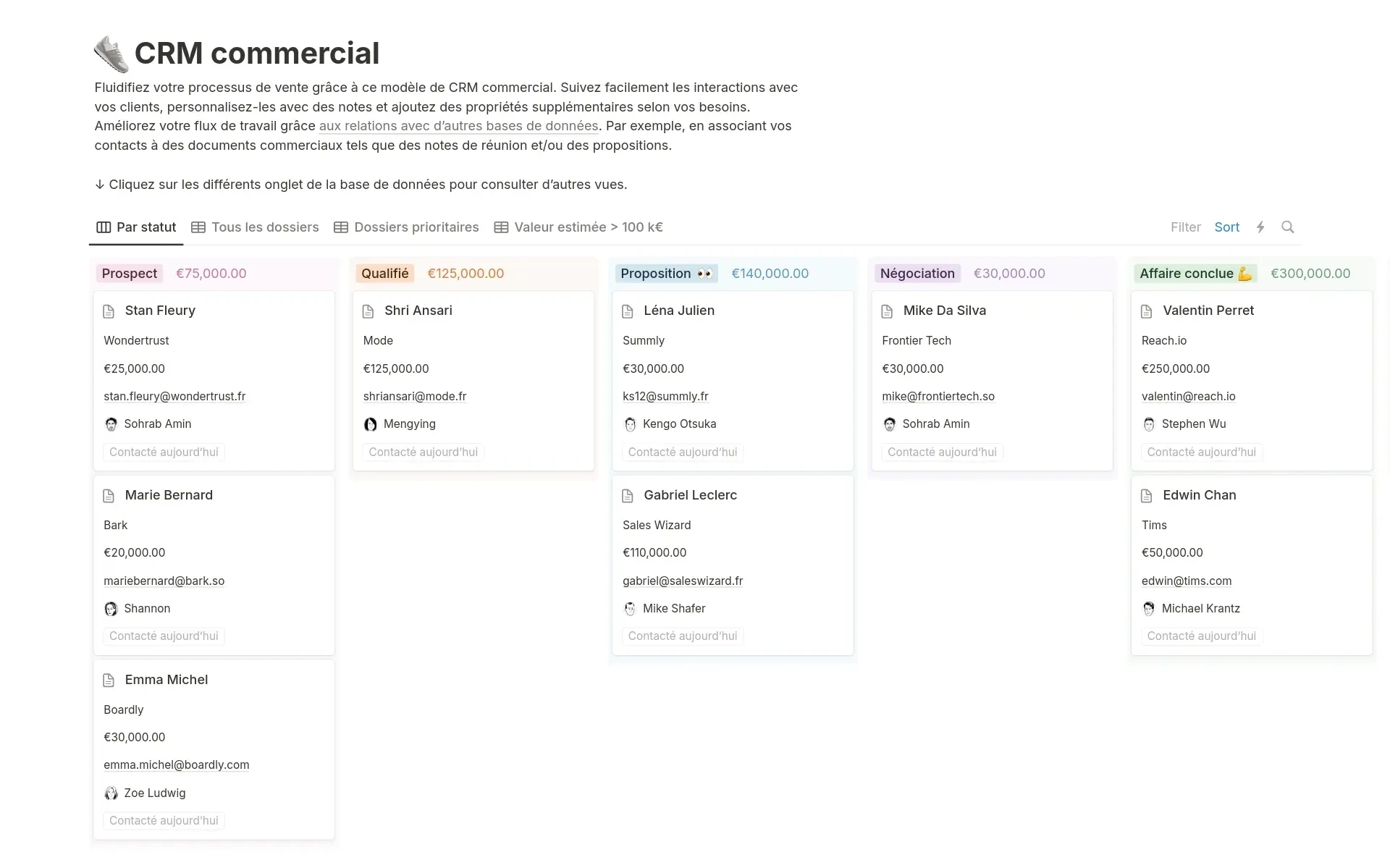
A page is useful for explaining or documenting a subject. A database is designed to track multiple items that share common characteristics, such as projects, tasks, clients, content or meetings.
Each item can include a status, owner, date, priority or link to another item.
A “Projects” database can, for example, contain all current assignments. A “Tasks” database can list the actions to complete. A “Meetings and decisions” database can preserve important discussions.
The real value comes from the relationships between this information.
A task can be connected to a project. A meeting can be linked to the same project. A decision can remain accessible from the relevant project page.
The employee no longer has to move between several tools to rebuild the context. The brief, actions, deadlines and decisions are available within one coherent system.
Notion then becomes a structured workspace that connects knowledge with daily execution.
Level 3: connecting documentation with execution
A common challenge in companies is the gap between documentation and action.
On one side, procedures explain what needs to be done. On the other, a task management tool shows what must be completed. Some of the context is often lost between the two.
Notion can bring these two levels closer together. Within a project page, the team can find:
- the project objective;
- the original brief;
- the people involved;
- meeting notes;
- current tasks;
- deliverables;
- approved decisions.
Documentation is no longer stored separately from the work. It becomes part of the way the project is carried out.
This approach is particularly useful when several teams collaborate on the same subject.
A marketing team can, for example, view current content in a calendar. The manager can display the same information as a table. Each writer can use a filtered view showing only their own tasks.
The data remains the same. Only the way it is displayed changes depending on the user’s needs.
To explore this in a more operational context, read our article on why many companies use Notion to manage their projects.
Level 4: using artificial intelligence on well-organised information
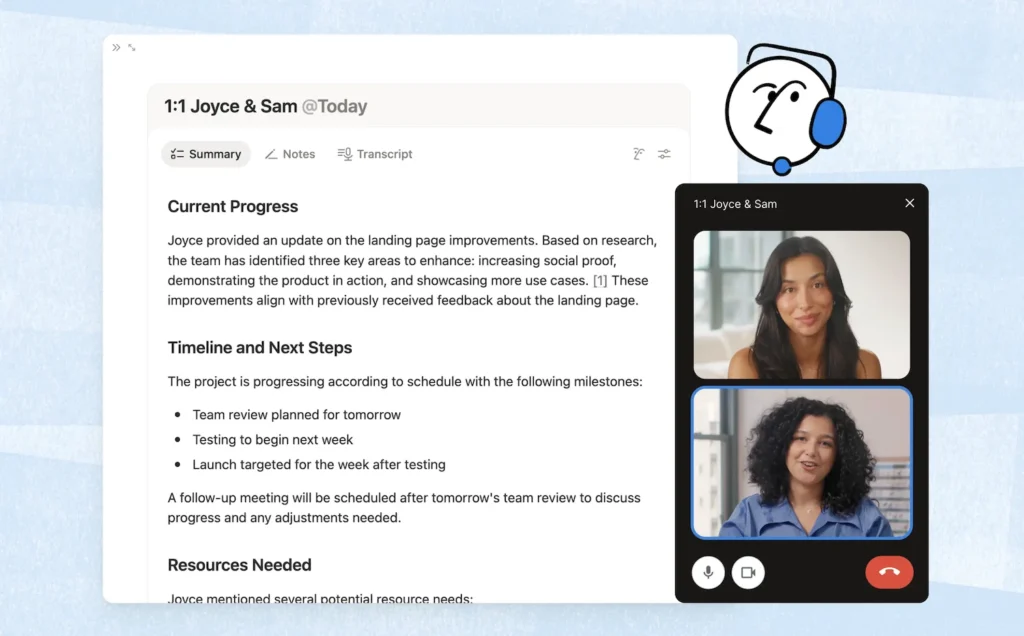
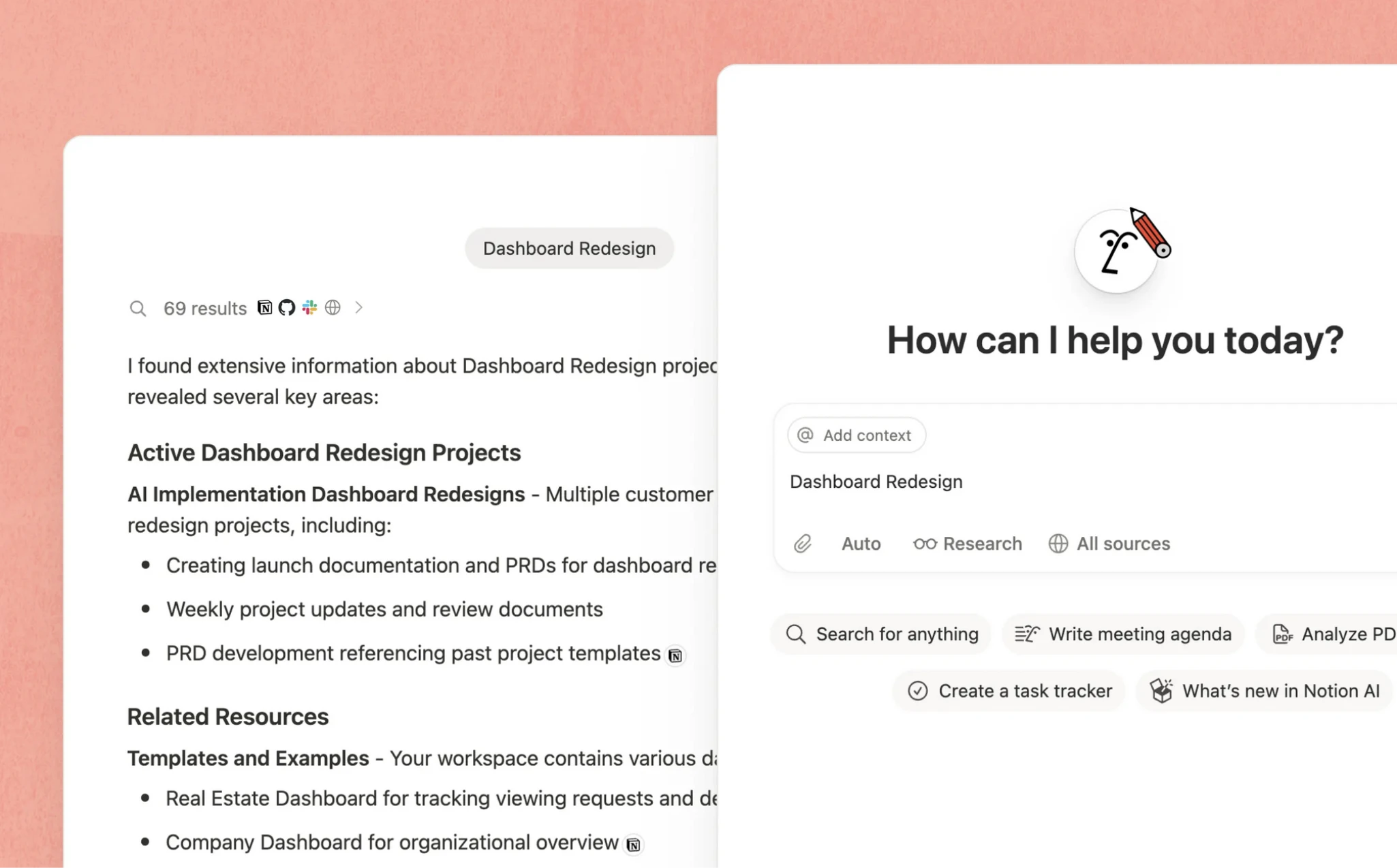
Artificial intelligence is expanding what teams can do with Notion. It can help them:
- search for information across the workspace;
- summarise a page or several documents;
- transcribe and organise meeting notes;
- extract decisions and next steps;
- populate certain database properties;
- draft or improve content;
- automate recurring processes.
Search features can also use information from connected tools, depending on the integrations and permissions configured in the workspace.
However, AI does not automatically fix a disorganised system.
If several versions of the same procedure exist, if pages are outdated or if access rights are poorly defined, the assistant will work from an imperfect context.
The quality of the AI therefore depends heavily on the quality of the information available to it.
Before automating, the process needs to be clarified. Before asking an agent to carry out a workflow, that workflow needs to be defined. Before searching across the company’s entire knowledge base, the team needs to decide which information should be treated as the reference.
The availability of these features also depends on the chosen plan, the connectors enabled and, for some custom agents, the use of additional credits.
AI then becomes an additional layer. It can accelerate an already well-structured system, but it does not replace the work required to build that structure.
What this organisation changes in practice
When it is properly designed, a Notion workspace can reduce several everyday sources of friction.
Information becomes easier to access
Employees no longer need to ask repeatedly where a procedure, meeting note or decision is stored. Information follows a shared logic and can be reached from several relevant entry points.
Decisions remain connected to actions
A decision made during a meeting no longer disappears into a conversation or an isolated document. It can be linked to the project, the people involved and the tasks that follow.
The organisation depends less on a few individuals
When a method or project history is known by only one person, the company becomes more vulnerable.
Documenting and connecting information makes knowledge transfer, onboarding and continuity easier as the team evolves.
Notion should not replace every tool
Describing Notion as a versatile platform does not mean it should become the company’s only software.
Some needs are still better served by specialised solutions.
A dedicated CRM will often be more suitable for lead scoring, sales sequences, forecasting or advanced sales automation.
A specialised project management tool may remain the better choice for capacity planning, detailed resource management or highly complex technical projects.
Accounting, payroll, regulated HR processes and business intelligence also require software specifically designed for those functions.
Notion can instead act as a central point of reference: a workspace where documentation, decisions and processes are accessible and connected. It can then integrate with other tools when a more specialised level of functionality is required.
This approach is often more realistic than trying to find a single platform capable of replacing everything.
To explore the main use cases, limitations and considerations, read our article What is Notion really useful for in an SME?.
How to move gradually from note-taking to a work system
There is no need to rebuild the entire organisation from the beginning. A gradual transition is usually easier to understand and adopt.
1. Choose a specific process
Start with an area that regularly creates searches, questions or duplicated work. This may be internal procedures, client projects, meeting notes or content production.
2. Separate pages from information that needs to be tracked
Stable information, such as a procedure, can remain a page.
Recurring information that needs to be sorted, filtered or monitored over time will often be better managed in a database.
3. Connect only the information that is genuinely useful
Too many relationships can make the workspace difficult to understand.
Start with a few simple connections: tasks to projects, meetings to projects, decisions to meetings.
Add new relationships only when they make the work noticeably easier.
4. Define ownership and test the system
Who creates new pages? Who maintains procedures? Who archives completed projects? Which information is mandatory?
These rules do not need to be heavy. They simply need to be clear enough to prevent the workspace from becoming disorganised.
The first system can then be tested by one team or on one specific type of project before being improved and rolled out more widely.
✨ Notion is not just a tool. It’s a lever to structure your organization.
To go further, we help you turn Notion into a real work system, tailored to your business challenges.
Three signs that Notion is still only being used as a note-taking tool
Your Notion workspace has probably not yet become a true work system if:
- employees still search for information across several tools;
- meetings, decisions and tasks are not connected;
- no one clearly knows who is responsible for updating the content.
In this case, the problem does not necessarily come from the tool. It often comes from a lack of structure or shared rules.
In summary
Notion often starts as a note-taking application. Its real value appears when pages, databases and processes are connected within the same workspace.
It can then transform isolated information into shared knowledge, shared knowledge into structured data, and structured data into collective action.
The objective is not to build the most sophisticated system possible. It is to create an environment clear enough for the team to know where to look, what to update and how to move forward.
Artificial intelligence can then accelerate search, summarisation and certain forms of automation. But it does not replace a coherent structure or shared working rules.
Notion is therefore more than a note-taking tool. It can become a genuine backbone for organising work, provided it remains aligned with the company’s real needs and working habits.
Would you like to turn your Notion workspace into a true work system?
An effective Notion workspace is not measured by the number of pages or databases it contains. It is measured by how easily teams can find information, understand their priorities and work together.
At Black Centauri, we help SMEs structure their workspaces, clarify their processes and integrate artificial intelligence in a gradual and practical way.
The objective is not to add complexity, but to build a system adapted to your business, your constraints and the habits of your team.
📌 Let’s see what’s truly relevant for you
We work with you to identify priority use cases, structure your workspace and support your teams so it becomes a tool that is truly useful on a daily basis.